 Coming soon
Costodian
Scan the invoice. Know your food cost.
Costodian is for people who run a restaurant, cafe or bakery. Photograph a supplier invoice and your item costs update. Log waste in a couple of taps. See your food cost, and what waste adds to it, every week.
Coming soon to the App Store
Why it exists
“Your food cost is a guess until the month closes.”
Why Costodian exists
What’s in Costodian
For iPhone and iPad. A kitchen tablet at each station, an owner view on your phone.
- Photograph a supplier invoice. Costodian reads it on your iPhone and updates what each item costs you
- Every line shows the old cost, the new cost and the change. Big jumps wait for you to check them
- If the lines don’t add up to the invoice total, it tells you before anything is applied. Apply only the lines you checked, and undo an invoice if it was wrong
- Log waste in a couple of taps: the item, how much, and why (overprep, spoiled, trim, plate return, dropped or expired). The dollar value comes from the item’s latest cost
- Tap an entry to correct it, or swipe to delete. If a price looks wrong, it warns you before it reaches a report
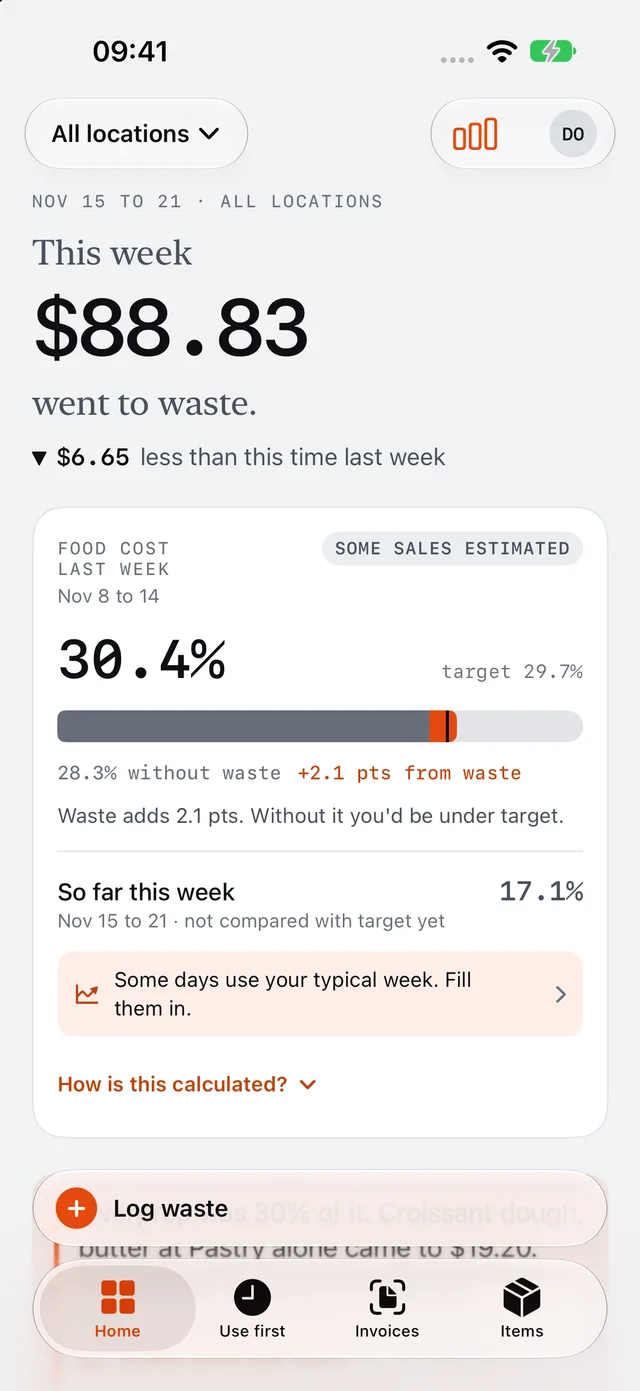
- Your food cost for the week, against your target, with the part waste adds shown on the bar. “How is this calculated?” is one tap away
- Food cost and menu margin from the costs on your invoices, so you can see which dishes earn their place
- Enter sales by day or week, or import a CSV export from Square, Toast or Clover
- Use first: prepped batches count down to their expiry, and you can print the label
- Reports by reason, item, station and location, and a one-page PDF to share
- A big-button log for a kitchen tablet. Staff see only what they need, and owners switch in with a PIN
- One business or several locations. Your team syncs through iCloud
- Your data stays on your devices and in your own iCloud. No account to make, and no ads
- For iPhone and iPad, iOS 26 or later
The real thing.
Screens from Costodian as it is today, on an iPhone.
The owner’s home: this week’s waste in dollars, and last week’s food cost against target, with the waste slice marked on the bar
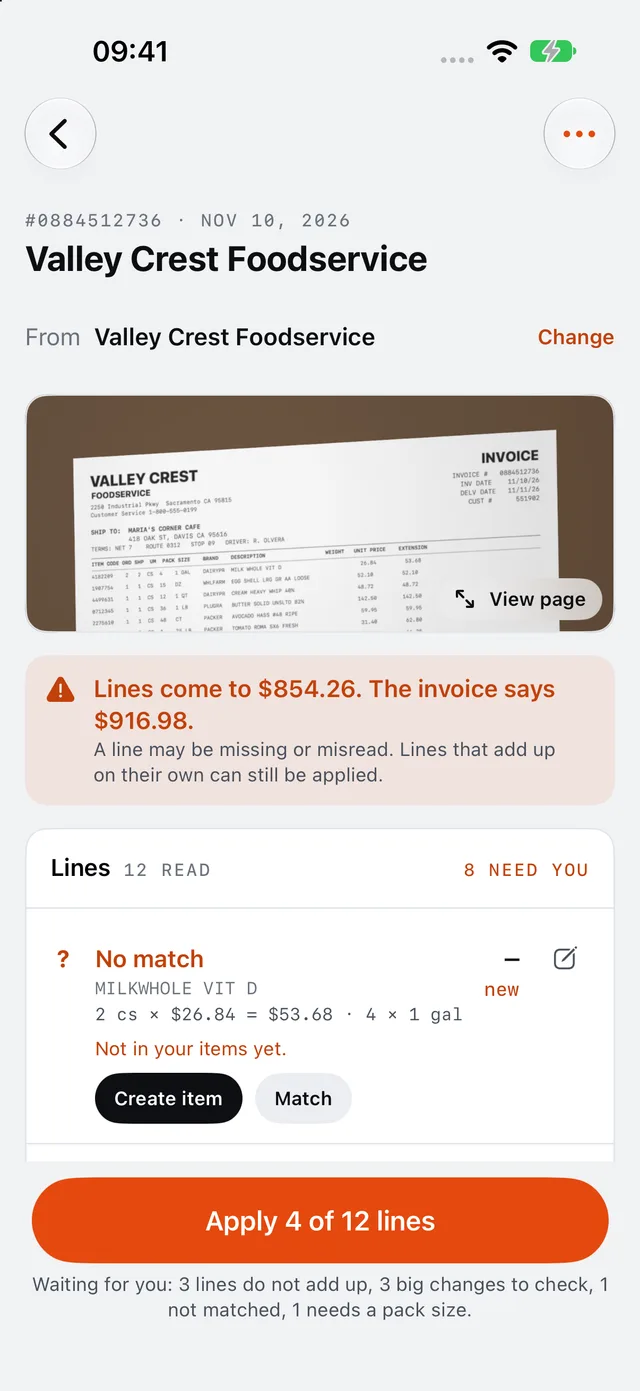
A supplier invoice photographed and read: the page, a check of its total, and the lines that need a look
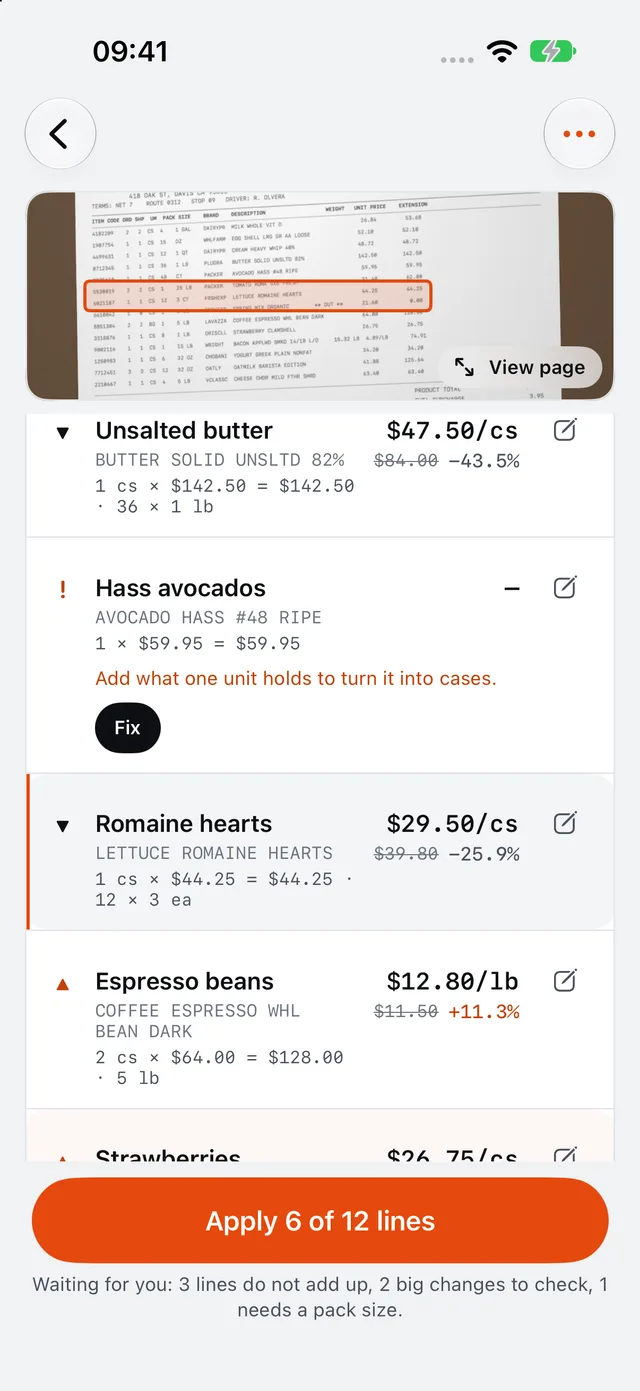
The invoice’s lines with each item’s new cost against the old one, and the page line highlighted
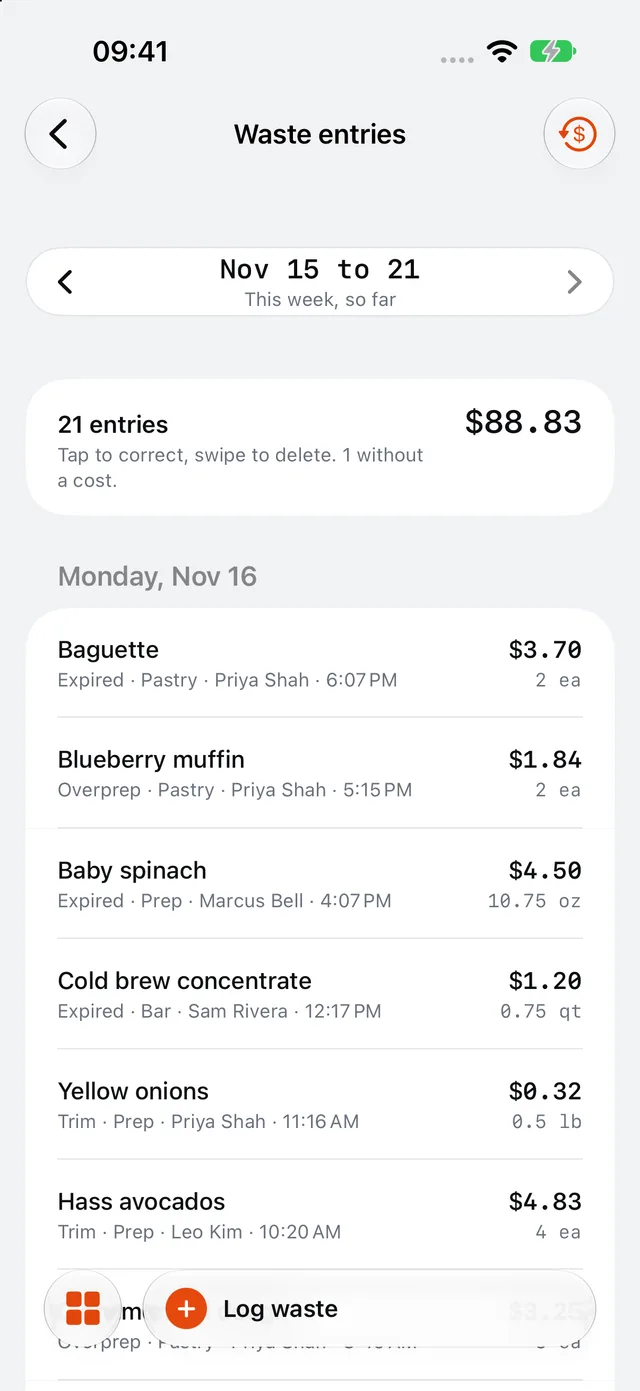
The week’s waste entries: item, reason, station, who logged it and what it cost