 Coming soon
Sweep Cat
Piles on a table. You choose what goes.
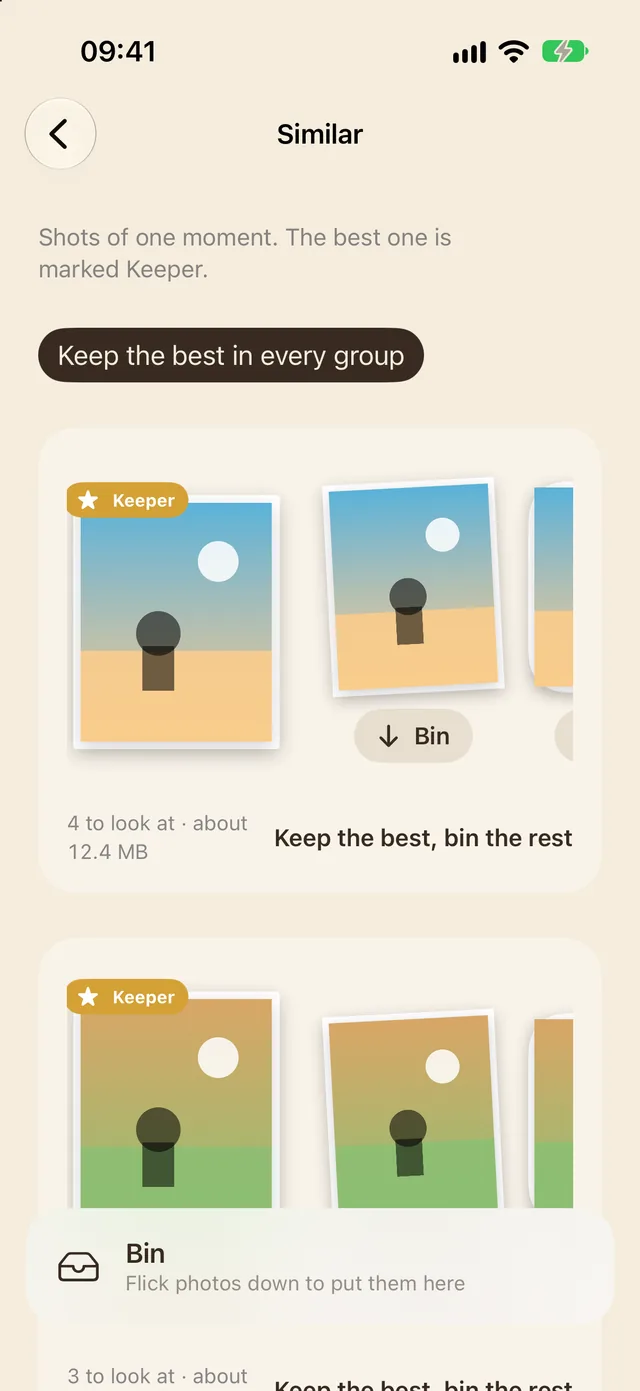
Sweep Cat looks through your photos on your iPhone and lays them out in five piles: copies, similar shots, screenshots, big videos and blurry photos. In each group of look-alikes it marks a keeper. Flick the rest down into the bin, take back anything you change your mind about, then empty the bin: iOS asks first, and Photos keeps everything in Recently Deleted for 30 days. Sizes are shown as estimates. No account, no ads, no use limit. With Pro, a one-time purchase: shrink big videos, keep Live Photos as stills, a reminder a month after your last sweep, a Home Screen widget for the bin, and a rule that puts screenshots older than 30 days in the bin for you to check.
On the way to the App Store
Why it exists
“Four copies of the same sunset and 2,000 old screenshots.”
Why Sweep Cat exists
What Sweep Cat does instead
The house rules, the same in every new Cat app.
- The whole job is free
- No ads
- No watermarks
- No sign-up
- Pro is paid for once, and yours to keep
The real thing.
Screens from Sweep Cat as it is today, on an iPhone.
Sweep Cat: the Similar pile, groups of look-alike photos each fanned out under its keeper, with Keep the best, bin the rest
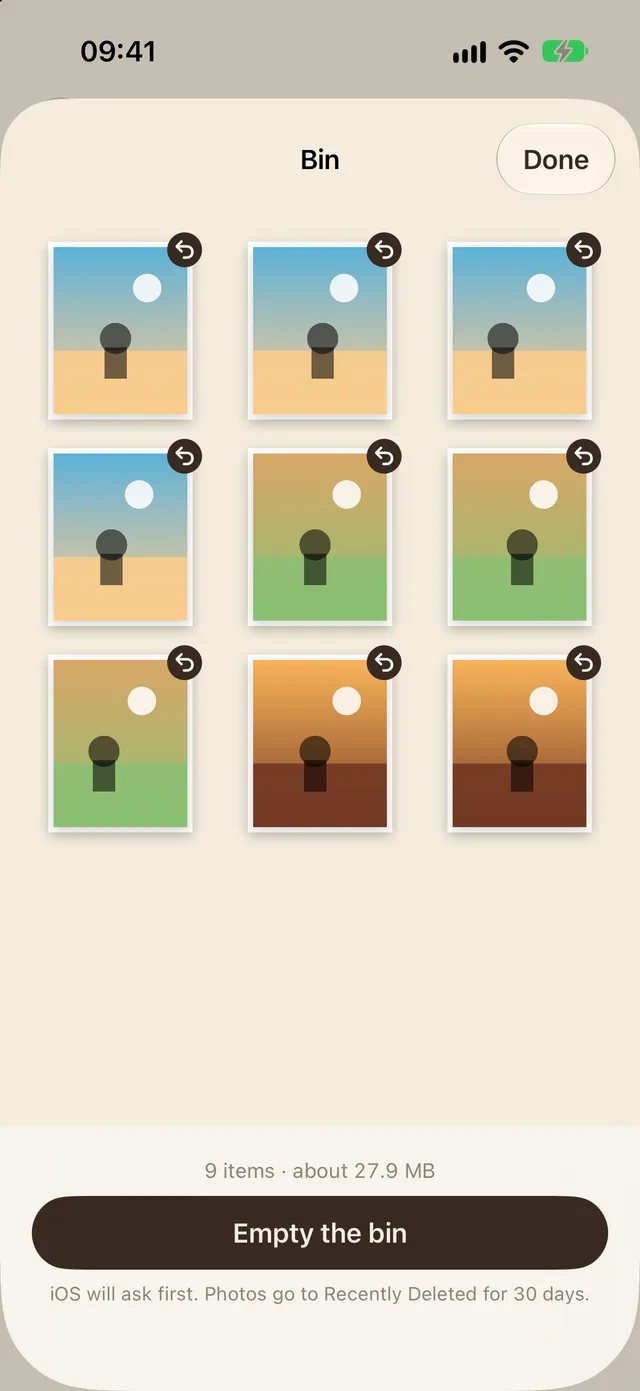
The bin: nine photos ready to go, each with a button to take it back out, and Empty the bin, which iOS asks about first