 Coming soon
Handyman invoice app
Clock in at each job, take a break, clock out. Bill the hours at that client’s own rate, add the parts as lines, and send the PDF. Snap the hardware store receipt too.
Everything in Tuxly
On the way to the App Store
How it works
A handyman’s week in Tuxly.
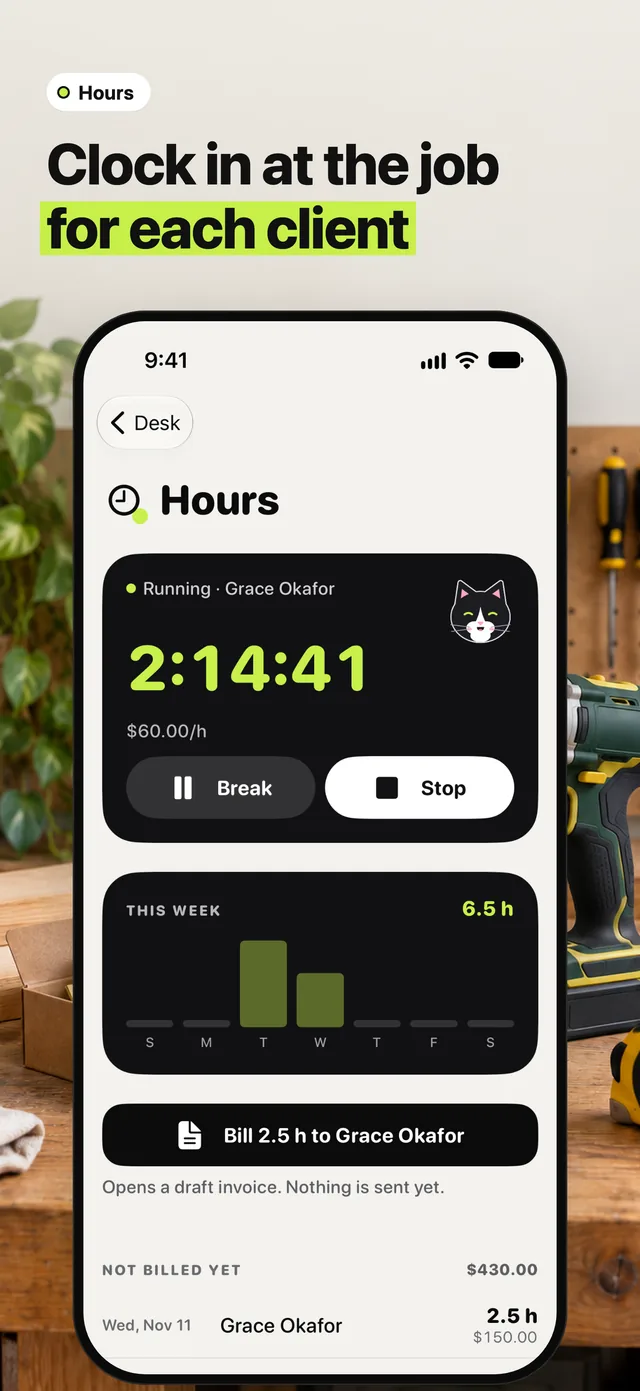
01Clock in at the job
Start the clock for the client when you get there. Break pauses it for lunch, Stop ends the job. Every client keeps their own hourly rate.
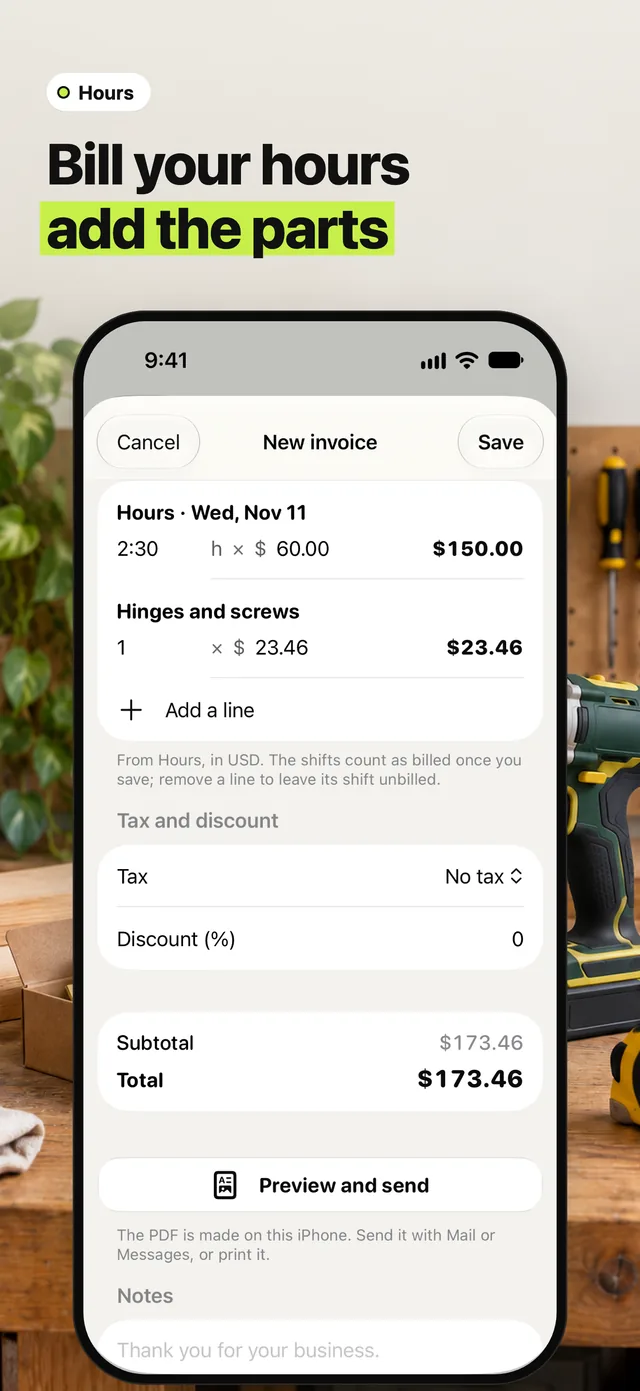
02Bill your hours, add the parts
Bill puts the hours on a draft invoice at that client’s rate. Add the hinges and screws as a line, then preview the PDF and send it by Mail or Messages.
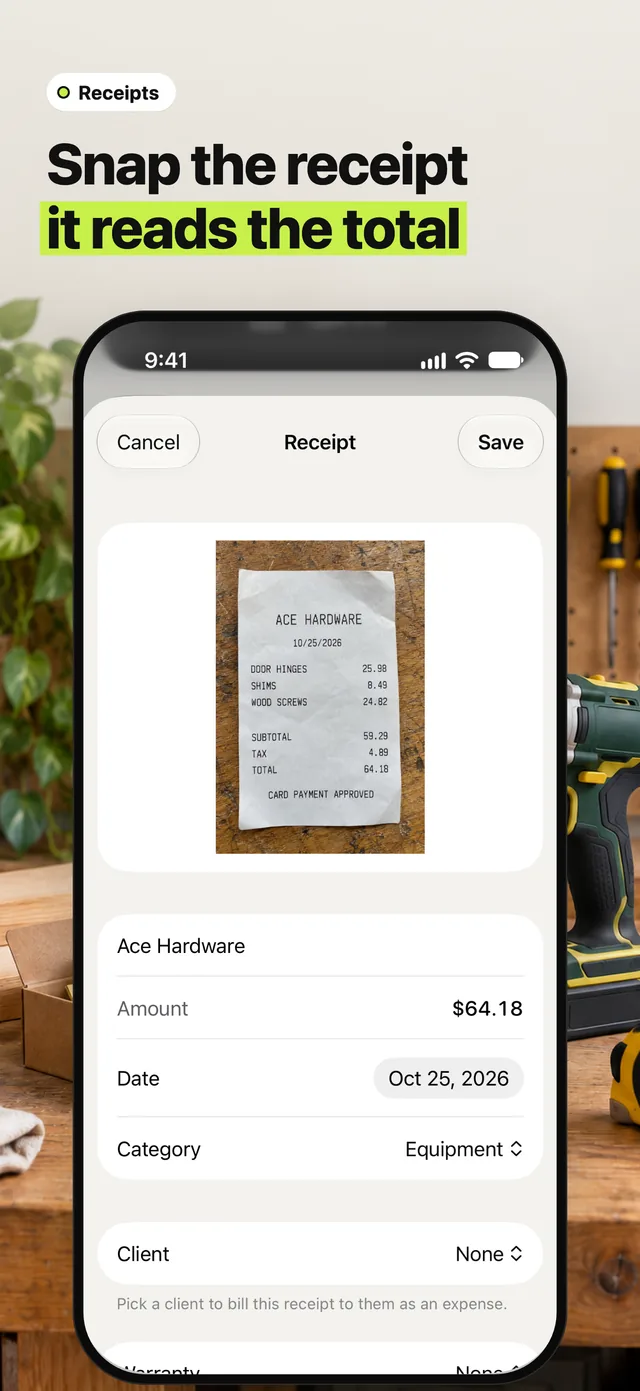
03Snap the receipt
Scan the hardware store receipt and Tuxly reads the shop, date and total for you to check. Pick a client to bill it to them as an expense.