You finished the job, you're standing in the client's driveway, and the laptop is at home. You can make the invoice on your iPhone and send it before you drive off. This guide walks through what an invoice usually has on it, then how to make one with Invoice Cat, our invoice app for iPhone and iPad.
What goes on an invoice
Most invoices carry the same few things:
- Who it's from: your business name, contact details and, if you like, your logo.
- Who it's for: the client's name, and their address if you have it.
- A number and a date, so you and the client can both find it later.
- What you did: each item or service, with a quantity and a price. Hours are a quantity too.
- Tax, discounts and deposits, if you use them, and the total that's still owed.
- How to pay you: your bank details, IBAN, PayPal, Zelle or Venmo, and when payment is due.
What an invoice has to say for tax depends on where you work and what you sell. Invoice Cat does the sums; it doesn't give tax or legal advice, so check your local rules or ask an accountant.
Set up your business once
Open Business and add your name, email, phone, address and logo. Every field is optional. Add your tax ID too if you use one (VAT, EIN, ABN, GST and so on), and write how you'd like to be paid. Your payment details are printed on every invoice, and you can use whatever you like: there's no payment processor and no fees.
Moving over from another app? Under Numbering, set the number your invoices and estimates start at, so they carry on where the old ones stopped.
Make the invoice
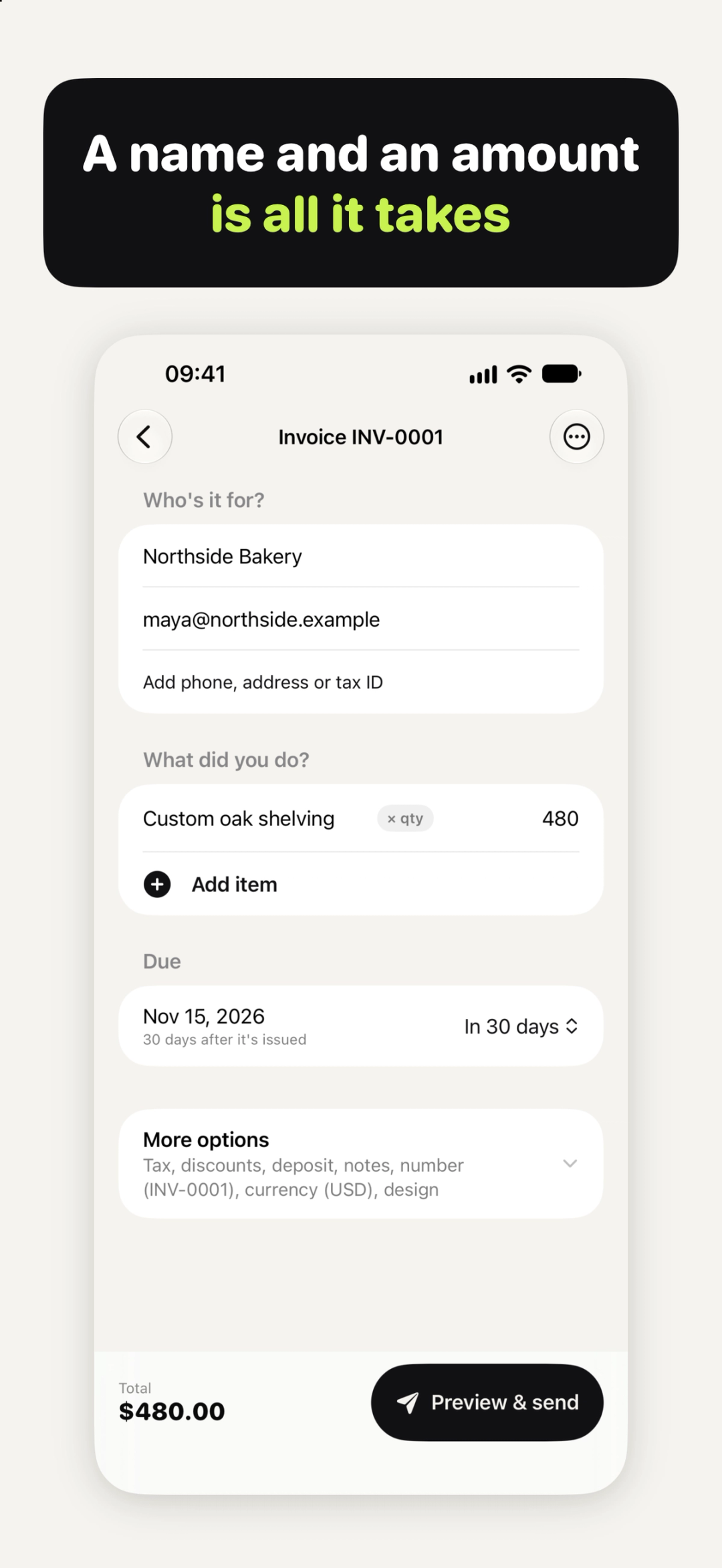
- Start an invoice. A client name and an amount is all it takes; everything else is optional.
- Add items. Give each one a quantity and a price. Billing by the hour? Type 1.5 for an hour and a half. Add details or a discount to any line.
- Add tax, a discount or a deposit. Add tax on the total or per item, with your own tax name and rate (Tax, VAT, GST…). Take a deposit or part payment, and the invoice shows what's still owed.
- Pick the payment terms and currency for this invoice.
Every change is saved as you type, so a phone call in the middle won't lose your work.
Quote first? Start with an estimate
If the client wants a price before you start, make an estimate instead. When they say yes, turn it into an invoice with one tap. You can see which estimates are open, invoiced or expired.
Send it as a PDF
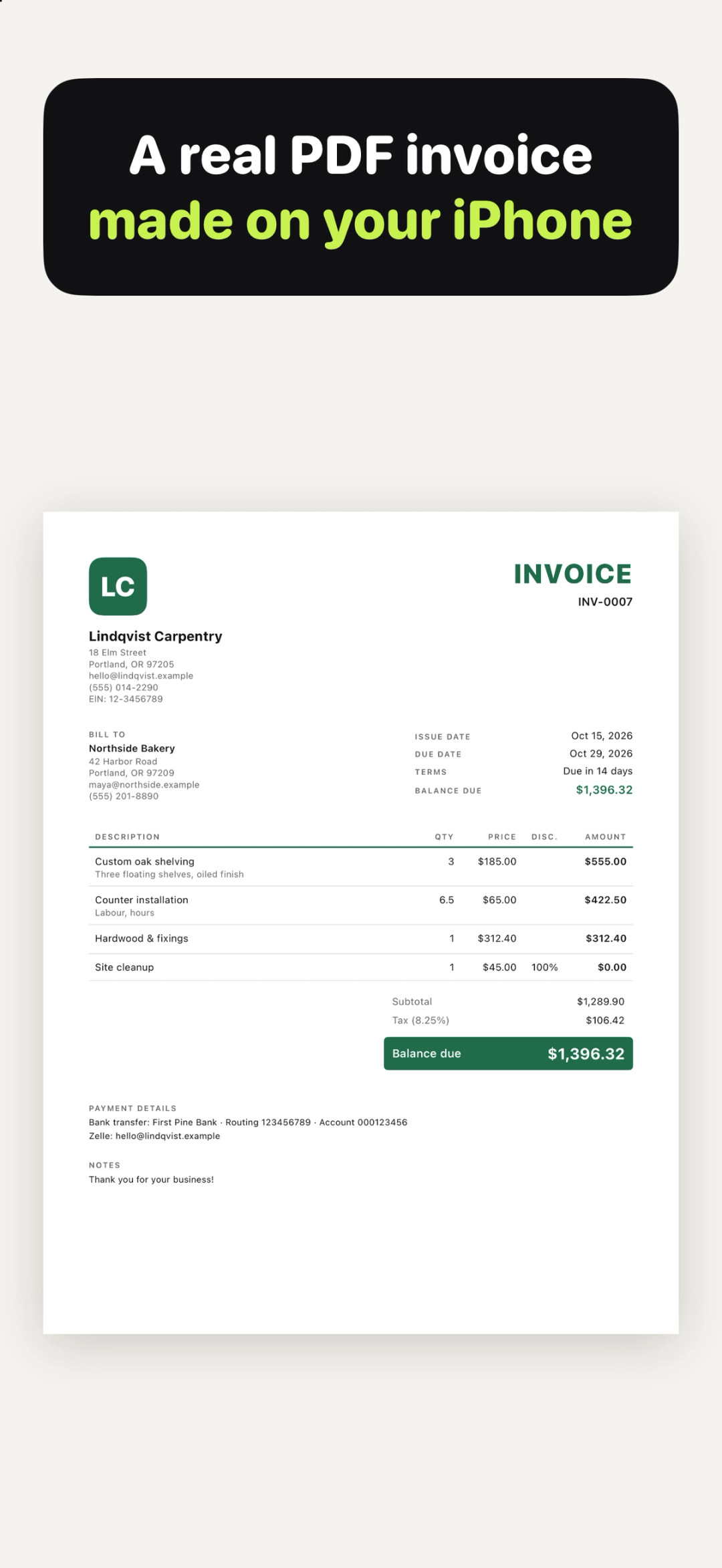
Preview the finished PDF first. Then send it from any app, or print it. If Mail is set up on your iPhone, you can also email it with the PDF attached. Choose the Classic, Modern or Minimal look, an accent colour, and A4 or US Letter paper. Longer invoices run over several pages, with page numbers.
Keep track of who's paid
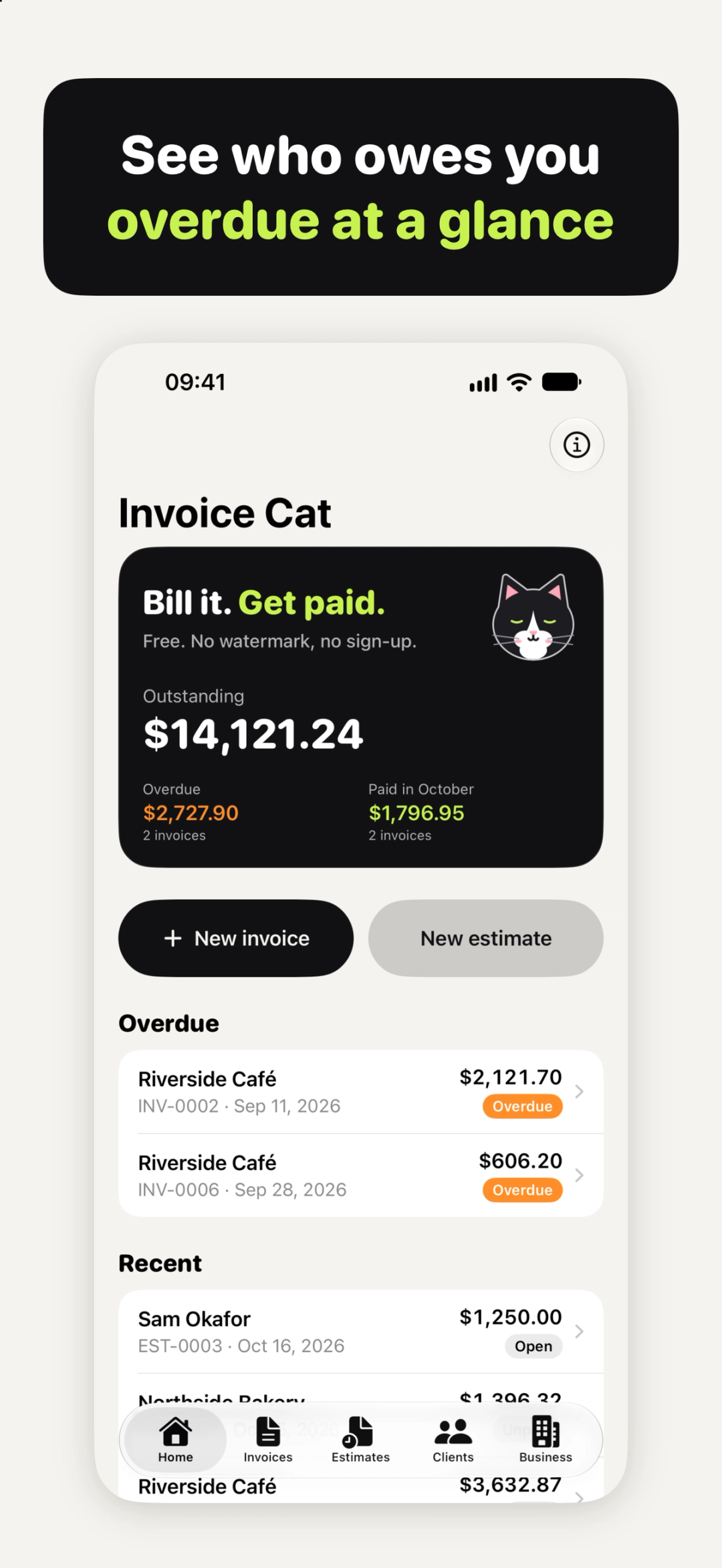
Home shows what you're owed, what's overdue and what was paid this month. On the Invoices tab, mark an invoice as paid when the money comes in, filter the list by unpaid, overdue or paid, and search by number, client or item.
Billing for hours?
If most of your invoices are hours, keep a timesheet as you work and bill from it at the end of the week. Our guide on how to make a timesheet on iPhone shows how.
What it costs
Invoices, estimates and clients are free and unlimited, and so are preview, send, email and print. There's no watermark, no ads, no account and no subscription. Invoice Cat Pro is an optional one-time purchase for people who bill the same things again and again: Saved items, Repeat monthly and Statements. More on the Invoice Cat page.
Your invoices are kept on your iPhone and in your own backups unless you share, save or print them. There's no account, so there's nothing to sign in to and nobody can lock you out of your own records.
Quick answers
Can I make an invoice on iPhone without a laptop?
Yes. The PDF is made on your iPhone, and you can send, email or print it from there.
Can I invoice for hours?
Yes. Hours are a quantity: 1.5 is an hour and a half.
Can I add VAT or GST?
Yes. Name the tax yourself and set your own rate. The rate and the rules are yours.
Can I keep my old invoice numbers?
Yes. Set the number to start at in Business, under Numbering.
Does it work on iPad?
Yes. On iPad the editor and a live preview sit side by side.
Try Invoice Cat
Try Invoice Cat: free, no watermark, no sign-up → iyio.com/apps/invoice-cat