 Coming soon
Ringtone Cat
Your own sound, ringing.
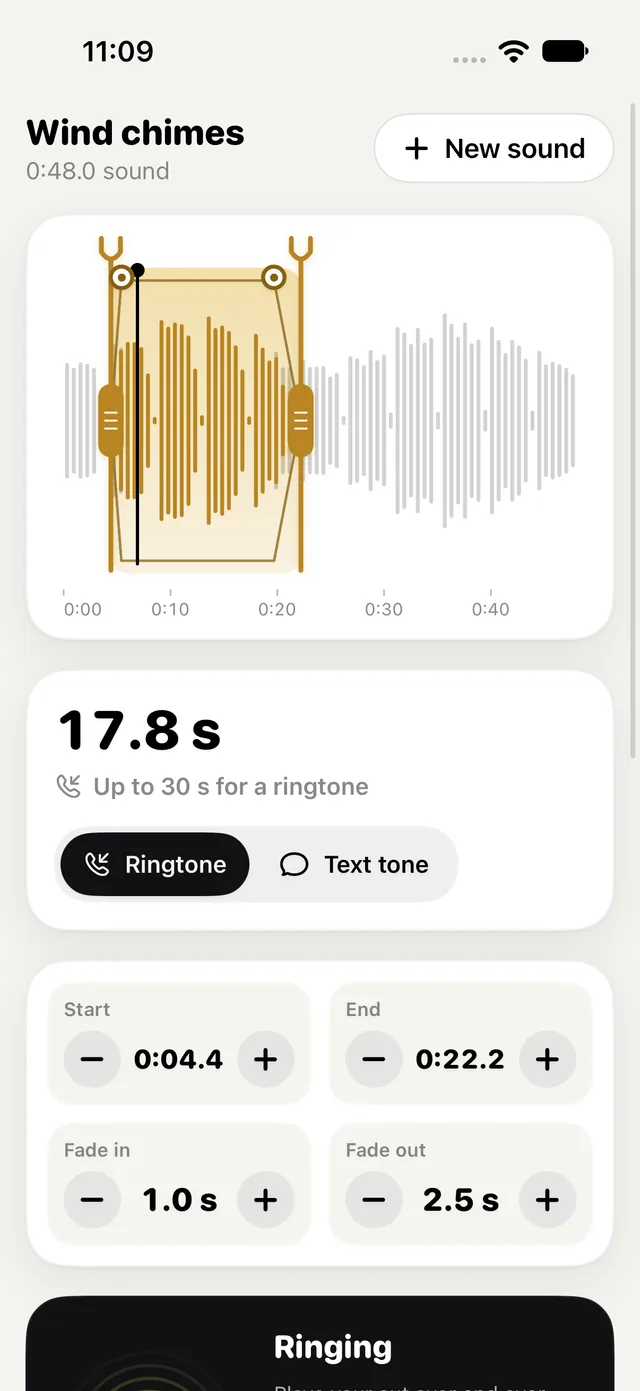
Ringtone Cat turns a sound of your own into a ringtone or text tone: a laugh in a voice memo, a clip from your own video, a song you recorded. Pick a file in Files, a video's sound from Photos, or open a file from another app with "Open in Ringtone Cat". Drag two tuning-fork handles to choose up to 30 seconds; they settle on the nearest quiet spot, so the cut doesn't click. Set the fade in and out, tap Play to hear it ring over and over the way a call does, and make an .m4r ringtone or an .m4a file. Ringtone Cat can't set your ringtone for you, and says so: each tone's sheet has Share, where iOS 27 offers Use as Ringtone, and Save to Files, with a short guide to the steps that are yours (with Apple's free GarageBand app on older iOS). A protected track, like a music download with copy protection, is turned down: the app works with your own sounds. Unlimited ringtones and text tones, every import, trim, fades, the preview, export, the guide and iPad are all free, with no ads, no account and no trial. With Pro, a one-time purchase: volume boost and a 3-band EQ with a limiter, loops that fill a length, batch export of several cuts, and saved projects you can reopen.
On the way to the App Store
Why it exists
“A weekly plan and an ad just to make one ringtone.”
Why Ringtone Cat exists
What Ringtone Cat does instead
The house rules, the same in every new Cat app.
- The whole job is free
- No ads
- No watermarks
- No sign-up
- Pro is paid for once, and yours to keep
The real thing.
Screens from Ringtone Cat as it is today, on an iPhone.
Ringtone Cat: the waveform of "Wind chimes" with the 17.8 s cut lit between two brass tuning forks, "Up to 30 s for a ringtone", Ringtone or Text tone, and the start, end and fades
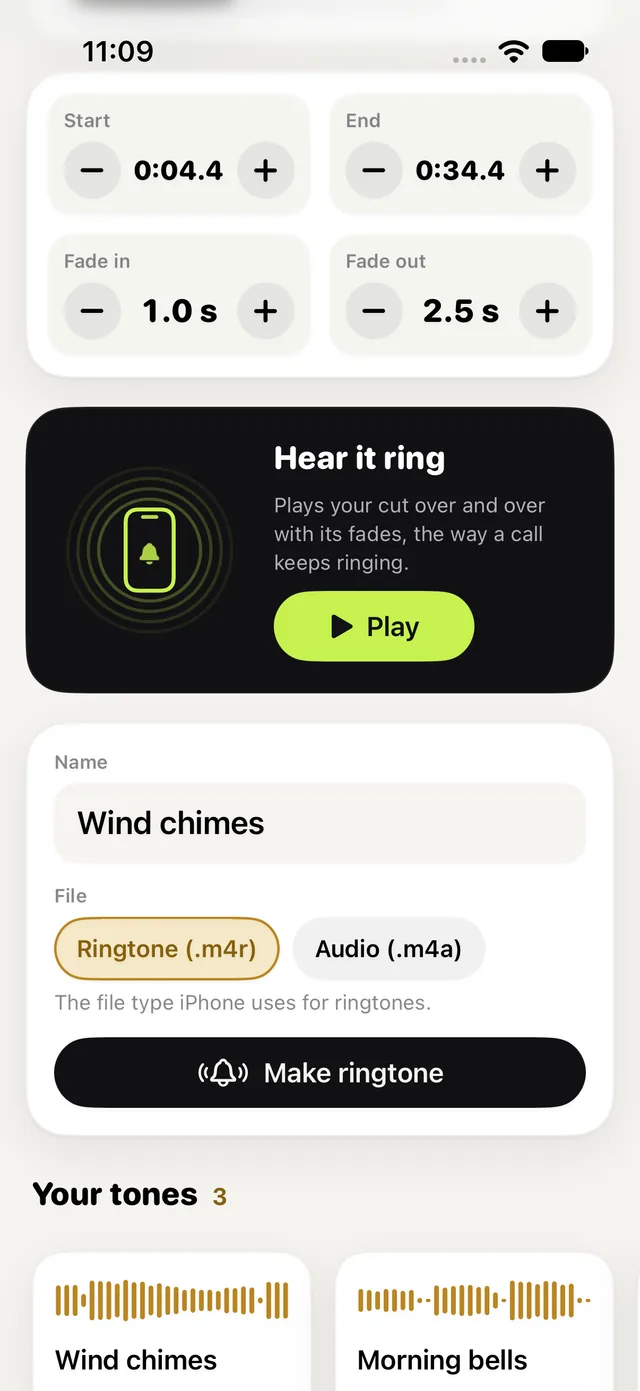
Hear it ring plays the cut over and over with its fades; then the name, Ringtone (.m4r) or Audio (.m4a), Make ringtone, and Your tones